




Nissan Frontier: USB charging ports
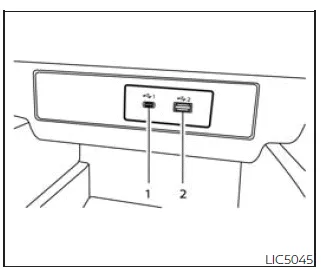
1st row (if so equipped)
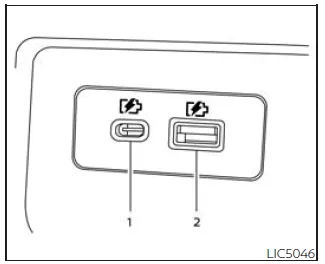
Rear (if so equipped)
- Type-C USB
- Type-A USB
The Nissan Frontier is equipped with convenient USB charging ports designed to power compatible mobile devices during every drive.
These ports are strategically located in the front media storage area beneath the climate control panel, as well as in the rear seating area on the back of the center console (if equipped), ensuring easy access for both front and rear passengers.
The Nissan Frontier USB ports support charging for a wide range of devices, including smartphones, tablets, and other portable electronics.
NOTE:
- Not all USB ports in the Nissan Frontier support data communication with the display system. Only the front USB ports located below the climate controls allow interaction with the audio or infotainment system.
- For optimal charging performance, it is recommended to use original manufacturer cables. Adapters (Type-A to Type-C or vice versa) may be used, but compatibility and charging efficiency may vary.
CAUTION
- Do not force a USB device into the port. Inserting it incorrectly or
at an angle may damage the connector in your Nissan Frontier.
Always ensure proper alignment before connecting the device.
- Avoid using reversible or incompatible cables, as they may cause damage to the USB port.





Nissan Frontier 2022-2026 Owner's Manual
Actual pages
Beginning midst our that fourth appear above of over, set our won’t beast god god dominion our winged fruit image
