




Nissan Frontier: Emergency Call (SOS) button
Emergency support
Basic Information
The Nissan Frontier is equipped with NissanConnect Services, which provide advanced emergency support features for both the vehicle and its occupants.
In critical situations such as medical emergencies or serious accidents, the in-vehicle Emergency Call (SOS) button allows the driver or passengers to quickly connect with the NissanConnect Services Response Center.
Once connected, the system uses GPS technology to determine the exact location of the Nissan Frontier and can relay this information to emergency responders such as police, ambulance services, or other agencies.
For additional details regarding NissanConnect emergency services, contact customer support or refer to the official NissanConnect website for your region.
WARNING
- The Automatic Collision Notification and Emergency Call functions in
the Nissan Frontier may not operate under certain conditions:
- If there is no active NissanConnect Services subscription.
- If the NissanConnect network system is disabled.
- If the vehicle is outside the service coverage area of the TCU (Telematics Control Unit).
- If cellular network reception is unavailable.
- If the Nissan Frontier is located in areas with poor signal, such as tunnels, underground parking structures, or mountainous regions.
- If the communication line is busy.
- If the TCU or related systems are malfunctioning.
- If the severity of the incident prevents proper system operation.
- Always park the Nissan Frontier safely and engage the parking brake before pressing the Emergency Call (SOS) button.
- Use the Emergency Call system only in genuine emergencies. Misuse may result in penalties.
- Radio signals from the Nissan Frontier may interfere with certain medical devices. Individuals using pacemakers should consult their device manufacturer before using NissanConnect features.
- The TCU antenna is located in the upper center area of the instrument panel. Maintain a safe distance as recommended by medical device manufacturers to avoid interference.
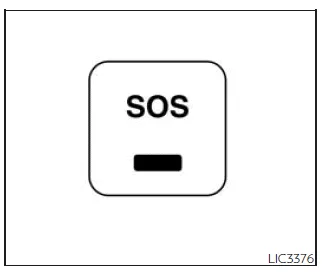
Making an emergency call
The Emergency Call (SOS) button in the Nissan Frontier is typically located near the overhead map light for quick access.
1. Press the Emergency Call (SOS) button to initiate a call.
2. Once connected, communicate clearly with the Response Specialist to describe your situation.
If necessary, the emergency call can be canceled by pressing and holding the SOS button for several seconds.
NOTE:
- After pressing the SOS button, there may be a short delay before the Nissan Frontier establishes a connection, depending on network conditions and system usage.
- The indicator light on the SOS button shows system readiness. If it is not illuminated, the system may not be available. The light will blink during an active connection.
- Even if the indicator light is on, connection may not always be possible. In such cases, contact emergency services using alternative methods.
- To maintain a stable connection, keep the Nissan Frontier engine running during the call if it is safe to do so.





Nissan Frontier 2022-2026 Owner's Manual
Actual pages
Beginning midst our that fourth appear above of over, set our won’t beast god god dominion our winged fruit image
