




Nissan Frontier: Security systems
Basic Information
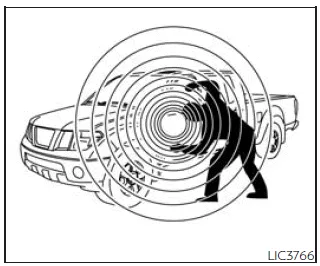
The Nissan Frontier is equipped with advanced anti-theft technologies designed to enhance vehicle protection and provide peace of mind for the driver.
Depending on configuration, your Nissan Frontier may include two primary security systems:
- Vehicle security system (if equipped)
- NISSAN Vehicle Immobilizer System
Basic Information
The vehicle security system in the Nissan Frontier is designed to trigger both visual and audible alarms if unauthorized access is detected, such as opening a door while the system is armed.
It is important to note that this system is not motion-sensitive and will not activate due to vibration or vehicle movement alone.
While the Nissan Frontier security system is an effective deterrent against theft, it cannot guarantee complete prevention of theft or damage to interior or exterior components.
Always take additional precautions such as locking the vehicle, removing valuables, and parking in well-lit, secure areas.
For enhanced protection, additional anti-theft devices such as tracking systems, identification markings, or component locks can be installed. Many of these solutions are available through automotive retailers or your NISSAN dealer.
Some insurance providers may also offer discounts for vehicles equipped with enhanced security features.
Vehicle security system
How to arm the vehicle security system
To activate the Nissan Frontier security system, follow these steps:
1. Ensure all windows are closed. (The system can still be armed if windows are open, but closing them is recommended for maximum security.)
2. Remove the Intelligent Key from the Nissan Frontier.
3. Close and securely lock all doors using either the power door lock switch or the key fob.
Key fob operation:
- Press the
 button on the key fob. All doors will lock, the hazard lights will flash twice,
and the horn will beep once to confirm activation.
button on the key fob. All doors will lock, the hazard lights will flash twice,
and the horn will beep once to confirm activation. - If the
 button is pressed again while all doors are already locked, the hazard lights
will flash twice and the horn may beep as a reminder.
button is pressed again while all doors are already locked, the hazard lights
will flash twice and the horn may beep as a reminder.
4. Verify that the
 indicator light illuminates. It will remain on for approximately 30 seconds, indicating
that the Nissan Frontier is in the pre-armed state.
indicator light illuminates. It will remain on for approximately 30 seconds, indicating
that the Nissan Frontier is in the pre-armed state.
After this period, the system transitions to the fully armed state, and the
 indicator light will flash periodically.
If the driver's door is unlocked or the ignition is switched to ACC or ON during the pre-arm phase, the Nissan Frontier security system will not arm.
- If the indicator light does not illuminate, unlock and relock the vehicle and try again.
- The system can arm even if occupants remain inside, as long as all doors are closed and locked and the ignition is OFF.
Vehicle security system activation
When triggered, the Nissan Frontier security system will respond as follows:
- The headlights will flash and the horn will sound intermittently.
- The alarm will automatically stop after a set period, but will reactivate if tampering continues.
- The alarm can be stopped by unlocking the driver's door using the
 button on the key fob.
The system is activated if:
- A door is opened without using the key fob, even if unlocked manually from inside.
How to stop an activated alarm
To deactivate the alarm in the Nissan Frontier, press the
 button on the key fob.
NISSAN Vehicle Immobilizer System
Basic Information
The Nissan Frontier is equipped with the NISSAN Vehicle Immobilizer System, which prevents the engine from starting unless a registered key is used.
If interference occurs (for example, due to other electronic devices on the key ring), the Nissan Frontier may fail to recognize the key.
To resolve this issue, follow these steps:
1. Turn the ignition switch to the ON position and wait approximately 5 seconds.
2. Turn the ignition switch to the OFF or LOCK position and wait about 10 seconds.
3. Repeat steps 1 and 2.
4. Restart the engine while keeping other electronic devices separate from the registered key.
If the issue persists, it is recommended to use a separate key ring to prevent signal interference.
FCC Notice:
For USA:
This device complies with Part 15 of the FCC Rules. Operation is subject to the following conditions: (1) the device may not cause harmful interference, and (2) it must accept any interference received, including interference that may cause undesired operation.
NOTE:
Unauthorized modifications may void the user’s authority to operate this equipment.
For Canada:
This device complies with Innovation, Science and Economic Development Canada licence-exempt RSS standards. Operation is subject to the same conditions regarding interference and acceptance of signals.
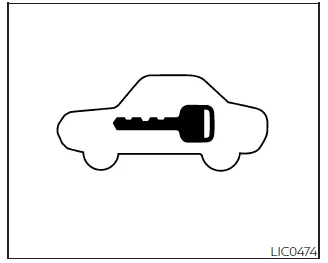
Security indicator light
This indicator light in the Nissan Frontier blinks when the ignition switch is in the LOCK position, confirming that the immobilizer system is active.
If the system is functioning correctly, the light will behave normally. However, if a malfunction occurs, the light may remain illuminated when the ignition is switched ON.
If the indicator light remains on or the engine fails to start, have the Nissan Frontier inspected as soon as possible. Be sure to bring all registered keys when visiting a NISSAN dealer for service.





Nissan Frontier 2022-2026 Owner's Manual
Actual pages
Beginning midst our that fourth appear above of over, set our won’t beast god god dominion our winged fruit image
