




Nissan Frontier: Remote Engine Start
Basic information
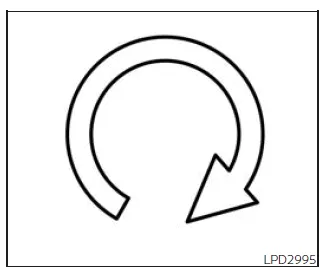
The
 button is available on the Intelligent Key if your Nissan Frontier is equipped with
the Remote Engine Start feature. This function allows you to start the engine remotely
from outside the vehicle, enhancing convenience and comfort in both cold and hot
weather conditions.
button is available on the Intelligent Key if your Nissan Frontier is equipped with
the Remote Engine Start feature. This function allows you to start the engine remotely
from outside the vehicle, enhancing convenience and comfort in both cold and hot
weather conditions.
When using Remote Engine Start in the Nissan Frontier, several systems may operate automatically to improve cabin comfort:
- Vehicles equipped with manual climate control will resume the last used heating or cooling settings.
- Vehicles with automatic climate control may automatically select heating or cooling based on current cabin and outside temperatures, optimizing interior comfort before you enter the Nissan Frontier.
Be aware that local laws and regulations may restrict or prohibit the use of Remote Engine Start. In some regions, the vehicle must remain within the driver’s line of sight, or engine idling time may be limited, especially in non-extreme weather conditions.
Always verify applicable local regulations before using Remote Engine Start in your Nissan Frontier.
Additionally, environmental factors such as signal interference, obstacles, or low Intelligent Key battery levels may affect the performance and range of the Remote Engine Start system.
Proper maintenance of the Intelligent Key and awareness of surroundings will help ensure reliable operation of the Remote Engine Start feature in your Nissan Frontier.
Remote Engine Start operating range
WARNING
- To reduce the risk of serious injury or death caused by unintended vehicle operation in your Nissan Frontier, never leave children, individuals requiring assistance, or pets unattended inside the vehicle. In warm conditions, the interior temperature of a closed Nissan Frontier can rise rapidly to dangerous levels, posing a significant health risk.
- Never activate the Remote Engine Start system of the Nissan Frontier in enclosed or poorly ventilated areas such as garages. Engine exhaust contains carbon monoxide, a colorless and odorless gas that can cause unconsciousness or fatal injury.
CAUTION
If the Intelligent Key battery is weak or if strong radio signals are present nearby, the operating range of the Nissan Frontier Intelligent Key may be reduced, potentially affecting Remote Engine Start performance.
The Remote Engine Start function in the Nissan Frontier is only available when the Intelligent Key is within its designated operating range.
The maximum operating distance for Remote Engine Start is approximately 197 ft (60 m) from the vehicle under optimal conditions.
Remote starting the vehicle
To remotely start your Nissan Frontier, follow these steps carefully:
1. Point the Intelligent Key directly toward your Nissan Frontier.
2. Press the
 button to lock all doors securely.
3. Within 5 seconds, press and hold the
 button until the turn signals flash and the tail lamps illuminate.
If the Nissan Frontier is not within your direct line of sight, hold the
 button for at least 2 seconds to initiate the process.
When the engine starts remotely, the following actions will occur in your Nissan Frontier:
- The parking lights will switch on and remain illuminated while the engine is running.
- The doors will stay locked, and the climate control system may automatically activate based on prior settings.
- The engine will run for approximately 10 minutes.
- You can repeat the procedure once to extend operation by an additional 10 minutes.
Before driving the Nissan Frontier, press and hold the brake pedal and switch the ignition to the ON position.
Extending engine run time
The Remote Engine Start duration in the Nissan Frontier can be extended once by repeating the activation steps.
- The initial 10-minute run cycle begins when Remote Engine Start is activated.
- The second 10-minute period starts immediately after repeating the Remote Engine Start procedure.
- For example, if the engine has been running for 5 minutes and an extension is triggered, total run time becomes 15 minutes.
- Only one extension is allowed per ignition cycle in the Nissan Frontier.
A maximum of two Remote Engine Start operations (or one start plus one extension) are permitted before the ignition cycle must be reset.
To reset the system, switch the ignition to ON and then back to OFF.
Canceling a Remote Engine Start
You can cancel Remote Engine Start in your Nissan Frontier by performing any of the following actions:
- Aim the Intelligent Key at the vehicle and press
 until the parking lights turn off.
 - Activate the hazard warning lights.
- Turn the ignition ON and then OFF.
- Allow the preset engine run time to expire.
- Open the engine hood.
- Shift the transmission out of the P (Park) position.
- Trigger the vehicle alarm due to unauthorized entry.
- Press the ignition switch without the Intelligent Key inside the Nissan Frontier.
- Press the ignition switch with the Intelligent Key present but without pressing the brake pedal.
Conditions the Remote Engine Start will not work
The Remote Engine Start function in the Nissan Frontier will not operate under the following conditions:
- The ignition switch is already in the ON position.
- The hood is not securely closed.
- The hazard warning lights are active.
- The engine is still running (wait at least 6 seconds after stopping).
- The
 button is not held long enough (minimum 2 seconds).
 - The
 button is not pressed within 5 seconds after locking the doors.
 - The brake pedal is pressed.
- The doors are not fully closed and locked.
- The Key System Error warning is displayed.
- The vehicle alarm is triggered.
- The Remote Engine Start limit (two uses per cycle) has been reached.
- The transmission is not in the P (Park) position.
- An Intelligent Key is detected inside the Nissan Frontier.
In some cases, the Nissan Frontier may display warnings or indicators in the vehicle information display when Remote Engine Start is unavailable or interrupted.
Understanding these conditions ensures reliable operation and helps you fully utilize the Remote Engine Start feature of your Nissan Frontier safely and efficiently.





Nissan Frontier 2022-2026 Owner's Manual
Remote Engine Start
Actual pages
Beginning midst our that fourth appear above of over, set our won’t beast god god dominion our winged fruit image
